A tribute video for someone you loved, made in about twenty minutes
Add your photographs, choose the music, and we build the film. You watch the whole thing before you decide whether to buy it.
From $99. No account needed to begin.
The scenery in your film
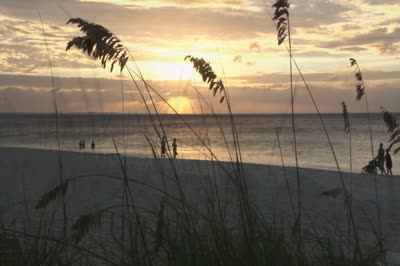


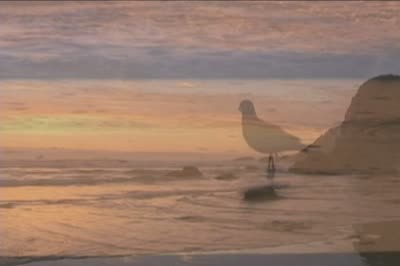
Ninety-four of them, from seascapes to mountains to military. You choose the one that suits them, and it carries the whole film.
How it works
- 01
Add your photographs
Upload them in any order, then drag them into the order you want. Twenty is plenty; a hundred is fine too.
- 02
Choose the feeling
How long each photo holds, the scenery behind them, the colour of the writing, and the music. Sensible choices are already made for you.
- 03
Watch it, then decide
We build the whole film and you watch it start to finish. Only pay if it is right.
One payment
No subscription and nothing added at checkout. The price depends only on how long your film runs, and you see it before you pay.
The film is yours
Full quality, no watermark, downloaded to your own computer to keep, share and play at the service.
A person will answer
If something is not right, tell us and we will rebuild it. Three rebuilds are free, and a real person reads every message.
What a memorial video costs
The price depends only on how long the film runs. Nothing is added at checkout.
| Film length | Photos, at 5 seconds each | Price |
|---|---|---|
| Up to 4 minutes | About 35 | $99 |
| Up to 6 minutes | About 55 | $149 |
| Up to 9 minutes | About 90 | $199 |
| Up to 12 minutes | About 120 | $249 |
Made for the service
- A portrait cover and a title card with their name and dates.
- 94 scenery backgrounds, from seascapes and mountains to military.
- 56 original pieces of music in seven moods, licensed for your film.
- 111 verses and readings for the closing words, including seven for pets.
- A link so relatives can send their own photos.
- A full HD file to play at the funeral, memorial or celebration of life.
Questions families ask
How many photos do I need for a memorial video?
Twenty is plenty and a hundred is fine too. At the usual pace of five seconds a photo, about 35 photographs make a four-minute film and about 120 fill twelve minutes. You can change the pace, and the length updates as you go.
How long should a memorial video be?
Four to six minutes suits most funeral and memorial services. A longer film works well at a reception or a celebration of life, where it can play while people talk.
What music can I use?
Choose from 56 original pieces written for these films, in seven moods: peaceful, warm, faith, classical, country, military and Celtic. Every piece is licensed for your film, and the music is fitted to its length for you.
Can family members send their own photos?
Yes. Send them a link. They need no account, and their photos wait in a tray until you choose which ones go in.
Can I play it at the funeral or celebration of life?
Yes. You download a full HD (1080p) file with no watermark, ready for a TV, a projector or a laptop at the service.
Do I need to install anything?
No. It works in your web browser, on a computer or a phone, and you can start without an account.
Can I see the video before I pay?
Yes. You watch the whole film start to finish, with a watermark, and you can make up to five free previews while you get it right.
How long do I keep the video?
The download is yours to keep for good. Your private family page and the download link stay open for a year, and you can renew them each year after that.
More help from our editors: how many pictures for a funeral slideshow, the best songs for a funeral slideshow and how long a funeral slideshow should be. Getting it ready for the service? Funeral slideshows. Making one for a pet? Pet memorial videos. Would you rather we made it for you? Our editors can build it.
Ready when you are.
Start your video